Table of Contents
ToggleThe Honeywell Home T6 Pro sits in an interesting sweet spot: it’s not the cheapest smart thermostat on the market, but it’s far from the most expensive. For homeowners looking to upgrade from a basic programmable thermostat without diving headfirst into a premium smart home ecosystem, the T6 Pro offers a practical middle ground. It delivers remote control, flexible scheduling, and compatibility with major smart home platforms, without the learning curves or subscription fees that plague some competitors. Whether you’re a DIY enthusiast comfortable with low-voltage wiring or someone who just wants better control over heating and cooling costs, this guide walks through what the T6 Pro actually delivers in real-world use.
Key Takeaways
- The Honeywell Home T6 Pro smart thermostat offers practical midrange pricing with multi-stage compatibility for most residential HVAC systems, including heat pumps and dual-fuel setups.
- DIY installation is straightforward if you have a C-wire, with step-by-step guidance and the option to hire an HVAC tech for $100–$200 if new wiring is needed.
- Real energy savings of 20% or more are possible when upgrading from manual thermostats, with payback periods often under one year plus utility rebates of $50–$100.
- Geofencing and adaptive recovery features provide greater comfort and efficiency, though geofencing has a 5–20 minute lag and requires occasional battery drain on your phone.
- Wide smart home compatibility includes Amazon Alexa, Google Assistant, Apple HomeKit, SmartThings, and IFTTT, though the Honeywell T6 Pro lacks Matter support.
- The touchscreen interface and straightforward 7-day scheduling prioritize reliability and user control over automated learning features that often frustrate households with irregular routines.
What Makes the Honeywell Home T6 Pro Stand Out?
The T6 Pro isn’t trying to be a conversation piece on your wall. Its 7-day programmable schedule and straightforward touchscreen interface appeal to homeowners who want smart features without unnecessary complexity.
What sets it apart is its multi-stage compatibility. The T6 Pro works with up to 2 heat/2 cool conventional systems, plus heat pumps with auxiliary heat. That makes it suitable for most residential HVAC setups, including dual-fuel systems that switch between a heat pump and a gas furnace based on outdoor temperature. If you’ve got a fairly standard forced-air system or a heat pump, the T6 Pro will likely work, just confirm your system’s wiring before buying.
Another differentiator: geofencing. The thermostat can detect when your phone leaves or approaches your home and adjust temperature settings accordingly. Unlike some competitors that rely solely on motion sensors (which can misfire if you’re sitting still watching TV), geofencing uses your phone’s location. It’s not flawless, there’s a slight lag, and it drains a bit of battery, but for people with inconsistent schedules, it’s more reliable than a rigid timer.
The T6 Pro also supports adaptive recovery. Instead of blasting heat or AC right before your scheduled time, it learns how long your system takes to reach target temperature and starts early. Your home hits 70°F at 7 AM, not starts heating at 7 AM. It’s a small detail, but one that improves comfort and efficiency.
Key Features and Smart Capabilities
The T6 Pro connects via Wi-Fi (2.4 GHz only), no hub required. Setup happens through the Honeywell Home app (formerly Total Connect Comfort), which handles scheduling, geofencing, and remote adjustments. The app isn’t the prettiest on the market, but it’s functional and responsive.
Voice control works with Amazon Alexa, Google Assistant, and Apple HomeKit (via the Honeywell Home skill or Home app integration). Commands like “Set the thermostat to 72” or “What’s the current temperature?” work reliably. Siri Shortcuts let iPhone users create custom automations, like “Goodnight” routines that lower the heat and lock smart doors.
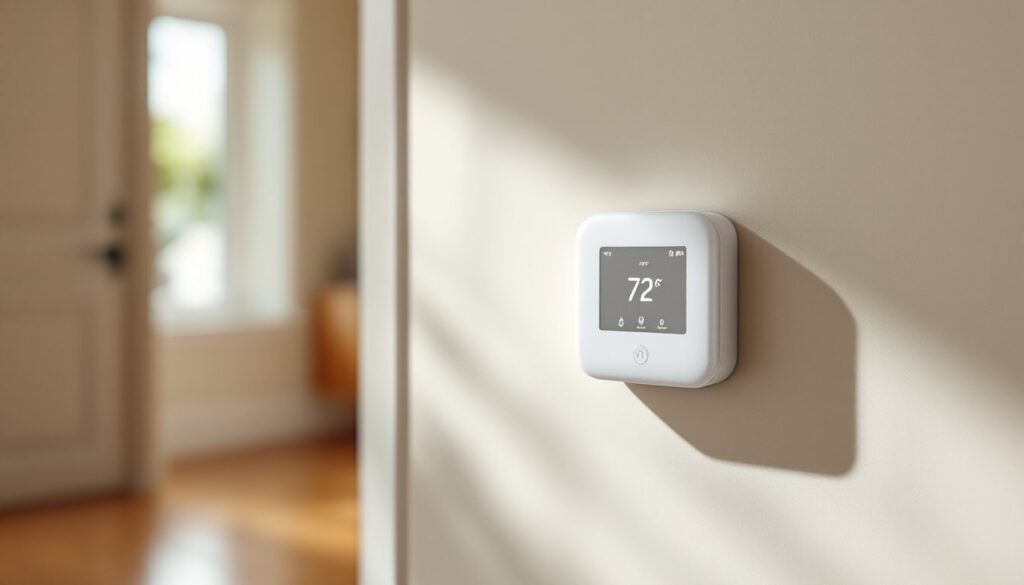
The thermostat itself has a 3.5-inch color touchscreen with adjustable brightness. It displays indoor temperature, humidity (read-only, it doesn’t control a humidifier), and current mode (heat, cool, auto, or off). The interface is intuitive: swipe up or down to adjust temperature, tap the icon to switch modes. No hunting through nested menus.
Smart alerts notify you if your system runs longer than expected or if indoor temperature drifts too far from the setpoint, potential signs of HVAC trouble or extreme weather. These alerts appear in the app and can be pushed to your phone. They won’t diagnose a failed compressor, but they’ll prompt you to investigate before a minor issue becomes expensive.
According to testing by multiple home tech reviewers, the T6 Pro’s temperature accuracy sits within ±1°F, which is standard for residential thermostats. The humidity sensor is less precise (±3% RH), but since it’s informational only, that’s acceptable.
Installation Made Simple: DIY or Professional Setup
DIY installation is straightforward if you’re replacing an existing thermostat and have a C-wire (common wire) already run to your current thermostat. The T6 Pro requires a 24VAC C-wire to power its Wi-Fi radio and touchscreen. If your old thermostat used batteries or didn’t have a C-wire connected, you’ll need to either run a new wire from your HVAC air handler or use a C-wire adapter (sometimes called a “power extender kit”).
What you’ll need:
- Phillips-head screwdriver
- Wire labels (included in the box)
- Drill and 3/16-inch bit (if mounting to drywall without a stud)
- Drywall anchors (if no wallplate from old thermostat)
- Needle-nose pliers (for bending wires)
- Voltage tester (to confirm 24VAC)
Installation steps:
- Turn off power at the breaker controlling your HVAC system. Use a voltage tester to confirm no voltage at the thermostat wires.
- Remove the old thermostat and label each wire with the terminal letter it was connected to (R, C, W, Y, G, etc.). Take a photo before disconnecting anything.
- Install the T6 Pro backplate using the provided screws. If there’s an oversized wallplate hole from an old mercury thermostat, Honeywell includes a trim plate.
- Connect wires to the T6 Pro terminals following the labels. Most setups use: R (power), C (common), W (heat), Y (cool), G (fan). Heat pump systems may also use O/B (reversing valve), W2 (aux heat), and others.
- Snap the thermostat onto the backplate and restore power at the breaker. The T6 Pro will boot up and prompt you through system configuration.
- Follow the on-screen setup to select your system type (conventional, heat pump, dual fuel, etc.). Answer honestly, incorrect settings can damage equipment or void warranties.
- Connect to Wi-Fi and download the Honeywell Home app to complete setup.
If you don’t have a C-wire, you can install a Honeywell C-wire adapter at the air handler (requires accessing the control board, consult your HVAC manual). Alternatively, hire an HVAC tech. Installation typically costs $100–$200 depending on your region and whether new wiring is needed.
Permit requirements: Low-voltage thermostat replacement generally doesn’t require a permit, but if you’re running new wiring through walls or modifying HVAC equipment, check local codes. Some jurisdictions require licensed HVAC contractors for any work beyond simple replacement.
Energy Savings and Cost Benefits
Honeywell claims the T6 Pro can save up to 23% on annual heating and cooling costs compared to a manual thermostat. That figure comes from a study of programmable and smart thermostat users, but real savings depend heavily on prior behavior and climate.
If you’re upgrading from an old manual thermostat and you frequently forget to adjust it when leaving the house, you’ll see meaningful savings. The geofencing and scheduling features ensure your system isn’t heating or cooling an empty home. In a moderate climate with a typical $1,500 annual HVAC energy cost, a 20% reduction translates to roughly $300/year. At a typical retail price of $140–$170 for the T6 Pro, payback happens in under a year.
But, if you’re already disciplined about adjusting a programmable thermostat, the T6 Pro’s savings come mostly from convenience, not raw efficiency. The adaptive recovery feature helps by avoiding temperature overshoot (where the system keeps running past the setpoint due to thermal lag), but those savings are incremental, likely 5–10% at best.
Utility rebates are available in many regions for installing ENERGY STAR-certified smart thermostats, including the T6 Pro. Check your utility’s website or energy efficiency programs for current offers. Rebates typically range from $50–$100, which can offset most or all of the purchase price.
One underappreciated benefit: extended HVAC lifespan. By reducing unnecessary runtime and avoiding short-cycling (frequent on/off cycles that wear components), smart scheduling and geofencing can add years to your furnace or AC unit. Given that HVAC replacement costs run $5,000–$10,000, even a modest lifespan extension has significant value.
Compatible Smart Home Ecosystems
The T6 Pro integrates with Amazon Alexa, Google Assistant, Apple HomeKit, Samsung SmartThings, and IFTTT. That’s broader compatibility than many mid-range thermostats.
Apple HomeKit support is native, no bridge required. Once added to the Home app, the T6 Pro appears as a thermostat accessory and supports automation triggers like “When I arrive home, set temperature to 70°F” or “At sunset, switch to away mode.” HomeKit’s local processing means commands execute quickly, even if your internet is down.
Alexa and Google Assistant require linking the Honeywell Home skill. Voice commands work reliably, and the thermostat appears in routines. For example, an Alexa “Good Morning” routine can raise the temperature, turn on lights, and start the coffee maker.
SmartThings integration is done via the Honeywell Home skill in the SmartThings app. You can include the T6 Pro in scenes and automations alongside other Z-Wave or Zigbee devices.
IFTTT (If This Then That) lets you create custom applets, like “If outdoor temperature exceeds 85°F, switch to cool mode” or “If I mark a calendar event as ‘vacation,’ set thermostat to away.” IFTTT’s flexibility appeals to tinkerers who want deeper automation without full home automation controllers.
One limitation: the T6 Pro doesn’t support Matter, the emerging smart home standard. Honeywell hasn’t announced plans to add Matter compatibility via firmware update, so if you’re banking on Matter becoming the universal protocol, that’s worth noting. For now, its broad platform support covers most users’ needs.
Real-World Performance: What Homeowners Should Expect
The T6 Pro’s biggest strength is reliability. It doesn’t try to “learn” your schedule like some competitors, a feature that sounds futuristic but often frustrates users who have irregular routines. Instead, it gives you control via the app or touchscreen and executes your schedule without second-guessing.
Wi-Fi connectivity is stable as long as your router’s 2.4 GHz band reaches the thermostat location. If your home has thick walls or the thermostat is far from the router, a Wi-Fi extender may be needed. The T6 Pro will alert you if it loses connection, and it continues running the last-programmed schedule even offline, heat or cooling won’t stop if your internet drops.
Geofencing accuracy varies. In testing scenarios described by home automation reviewers, the T6 Pro typically detects arrival within 5–10 minutes and departure within 15–20 minutes. That lag is due to how aggressively the app polls your phone’s location (too frequent and battery drain becomes an issue). For most households, this delay is acceptable, your home will be comfortable by the time you walk in the door.
Temperature swing (the range between when the system turns on and off) is adjustable in the installer settings, typically ±0.5°F to ±1°F. Tighter swings improve comfort but increase system cycling. For most homes, the default ±1°F provides good balance.
One quirk: the T6 Pro’s humidity display can’t trigger a dehumidifier or humidifier. If you have whole-home humidity control equipment, you’ll need a thermostat with accessory outputs (like the Honeywell T10 Pro) or a standalone humidistat.
Durability is solid. The touchscreen is responsive after years of use, and the plastic housing holds up well. The backplate uses standard thermostat mounting holes, so future upgrades won’t require new drywall work.
Conclusion
The T6 Pro isn’t flashy, and it won’t revolutionize how you interact with your home. But for homeowners who want dependable remote control, flexible scheduling, and broad smart home compatibility without paying premium prices, it delivers. The DIY installation is manageable if you’ve got a C-wire, and the energy savings are real, especially if you’re upgrading from an old manual thermostat. Just know its limits: no humidity control outputs, no Matter support, and geofencing that’s functional but not instant. For most residential HVAC systems, though, the T6 Pro is a practical, no-nonsense upgrade.